
Purchase any WEBINAR and get
10% Off
CODE: SAVE10
T&C applicable, please referFAQ
Validity : 12th Aug'26 to 22nd Aug'26
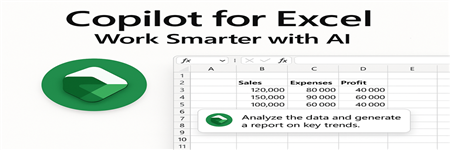
Microsoft Copilot is an AI tool built inside Excel that helps users work faster and smarter. It understands simple instructions and helps with data analysis, formula creation, summaries, and visual reports.
In this webinar, we will understand how Copilot works and how it can support daily Excel tasks. You will learn how to ask the right prompts to analyze data, create charts, highlight trends, and generate summaries automatically.
The session will include live demonstrations so participants can clearly see how Copilot improves productivity. We will also discuss where Copilot is helpful and what precautions to take while working with company data.
By the end of the session, participants will feel confident using Microsoft Copilot in Excel to improve efficiency and make better data-driven decisions.
Microsoft Copilot is changing the way we use Excel. It helps you analyze data, create formulas, generate reports, and build charts quickly using simple instructions.
In this session, you will learn how to use Copilot inside Excel to save time and reduce manual work. Instead of spending hours creating reports or finding insights, Copilot can do it in seconds.
This webinar is useful for anyone who works with Excel regularly — finance, compliance, HR, operations, or management professionals. You will see practical examples that you can start using immediately in your daily work.

Ritu Arora is a Microsoft Certified Excel Trainer and accomplished author, having trained over 60,000 professionals across more than 2,500 corporations globally. Her extensive expertise spans Microsoft Office Specialist Excel and PowerPoint, Power BI, and cutting-edge AI tools for business efficiency.
She is the author of Advance Excel Guide and Mastering Advanced Excel with ChatGPT Integration, which serve as comprehensive resources for both beginners and advanced users. Her portfolio includes prestigious associations with organizations such as CBRE, Hitachi ABB, Sumitomo Mitsui Banking Corporation, and more.
Ritu’s career highlights include delivering advanced Excel, Power BI, and PowerPoint training for clients like NTPC, Swiggy, Indian Oil, HDFC, Airtel, and EY, among others. She is actively involved with the Confederation of Indian Industry (CII) and has facilitated skill-enhancement programs like "Excelerate with Excel" and "Empower with PowerPoint Skills."
With exceptional communication and presentation skills, Ritu brings a blend of expertise and passion to her training sessions, empowering participants to excel in their professional roles.


